Sunday, October 25, 2020

So I bought a Tesla Model Y...

Early in my evaluation, I had all but eliminated the Model Y on specs alone. It seemed too small, and Tesla doesn't publish the typical measurement of cubic footage of storage space with the rear seats up, only the max storage capacity with the seats folded, making the typical apples to apples comparison I'd been using with other vehicles impossible. I even tried asking via Twitter, Tesla's website chat function, and an email, and none got a satisfactory response. If the measurement exists, they don't make it available. In retrospect, I think this is because that would be a misleading figure since there is likely an SAE standard method to calculate that measurement, and you aren't allowed to include things like the front trunk (officially the "frunk") and the underfloor storage, which in the Model Y make a pretty significant difference in its overall capacity. But after watching a few videos online, and seeing how big the additional storage areas were, I decided I needed to give it a better look in person before summarily eliminating it, leading to the trip to the dealer to test drive it. Obviously it's a good thing I did. 

The Model Y is definitely smaller than the Jeep Grand Cherokee that it replaces, but between the frunk and the deep well under the cargo area floor, which will swallow a medium sized suitcase with room to spare, I think the seats-up cubic footage for holding stuff is actually about the same. Definitely more space than comparably sized small crossovers like the RAV4.

I have about 1500 miles on the car now, including one ~900 mile road trip, so here are my initial impressions. 

Likes: 

The sound system is great, among the best I've heard in a car. The seats are comfortable, it has plenty of rear seat room (all 3 of us sat in the back with me (6'4", 35" inseam) sitting behind myself and it was fine, so I expect it'd do well with 5 passengers even on a trip), the acceleration even on the long-range model is indeed grin-inducing, ride quality and handling are both good. I also love the full-glass roof.

The nav system works well, does a great job helping you plan trips including charging stops and projecting range and state of charge. I haven't had a lot of instances where I've been driving in traffic, so I don't know how good it is at rerouting you around traffic like Google Maps does yet. I do miss the integration of notifications about speed traps/cameras, disabled vehicles and accidents that Gmaps provides, along with the ability to contribute those things while you drive.

The use of my phone as a key works way better than I thought it would, to the point that I've gotten really used to not carrying a key and have walked out of the house without keys for my other, key-requiring vehicles. Not having to actively lock or unlock the car is also surprisingly nice. I keep the key card in my wallet as a backup, but haven't needed to use it yet. The inductive charging pad for your phone is also reliable and consistent.

The regenerative braking is aggressive enough that when combined with leaving the default configuration in place that the vehicle will come to and stay at a full stop when you lift off of the accelerator, one pedal driving is possible a lot of the time. It takes some time to get used to and results in some jerkiness at first, but it's in your best interest to get good at it for maximum efficiency. My biggest pet peeve is that it's not consistent, i.e. when the battery is cold or fully charged, the amount of regen braking is reduced, so you can't just learn how/when to lift off of the accelerator to slow down for an intersection smoothly. Autopilot is a lot better at it than I am currently. 

I sprung for the full self driving option, meaning I get all of the available autopilot stuff. I was already familiar with the basic adaptive cruise control, and it works pretty much the same way as the one in my Jeep did, with the exception of addressing one of my main annoyances - it doesn't auto cancel after 2 seconds of being stopped. Instead, it relies on you either pressing the accelerator or the stalk to tell it that it's ok to proceed after it has stopped for traffic control. I don't know how much of the automatically stopping for traffic lights and stop signs is part of the full self driving package and thus unavailable with adaptive cruise if you don't get that feature, but it works pretty well. You can definitely tell that you're training the AI as it asks you to positively confirm that it's safe to proceed when it detects a green light and it's not following another vehicle, but it's a pretty intuitive system.

I've been using actual autopilot a fair amount, both on the highway and on secondary roads. Pretty much anywhere with lane markings is fair game. It's pretty good at following the road, even on ramps and curves, though it's definitely conservative about the speeds it chooses - everywhere but divided highway, you're limited to a max of 5mph over the speed limit with autosteer engaged, and it is probably doing 7-10mph below what I'd do if I were driving it on a cloverleaf or tight curve so occasionally you annoy the drivers behind you with overly conservative driving. Automatic lane changes (you signal, it changes when it's safe to do so) work really well about 90% of the time. It makes driving easier because you are less actively involved in the constant corrections to keep the car in its lane and following the road as well as maintaining safe following distance, but it definitely is not something you can have drive while you do something else. The system is far from perfect/infallible, and the emphasis definitely should be on the "semi" part of semi-autonomous. As impressive as even this level of autonomy is, the robot is still pretty stupid, and it requires your attention. I have incidents nearly every trip of phantom braking (braking for something it shouldn't) and because it doesn't support turns at intersections and stuff yet, even when the nav system is active, I have to turn it off and go manual multiple times on an average trip. I'm averaging a steering intervention (where the car starts to go on the wrong path) about once every 2-3 trips, but so far most of them have been fairly obvious as to why the car got confused. Let's just say that I understand completely why there have been autopilot-involved accidents where autopilot does the wrong thing at the worst possible time and the driver isn't paying enough attention to intervene. It's still a net positive and I think it's worth the premium Tesla charges for it, but like I said above, you can tell you're helping to train an AI, and you should go into it cautiously. 

Dislikes: 

Phone integration is about 5 years behind its competition (Bluetooth only, no Android Auto or Carplay). In addition to playing BT audio and doing phone calls, it will read you text messages and allow you to respond, but the dictation response is too aggressive at assuming that you're done speaking if you pause even briefly, meaning you end up retrying responses more than I typically do with Google's assistant/voice to text. Similarly, it doesn't let you use those features for any other messaging platform like Whatsapp, FB messenger, or Slack, meaning you're still dinking with your phone interact with messages more often than I'd like. The entertainment system also is a little dodgy when it comes to playing stuff off of USB - no support for WMA files at all, occasionally fails to recognize the USB drive (I had to reboot the system the first time I plugged in the drive before it actually scanned it for music), and resume play seems a little inconsistent. Typically, as soon as you open the door to the car, it starts playing back the song you were listening to when you left the car, at a reduced volume until you close the door, which is a nice touch. But about half or more of the time, it does nothing, and I have to finger drag to resize the audio controls at the bottom of the screen to full size, press the USB button on screen, then go to the song list and actually choose a song to get it to start playing again, i.e. pressing the play button or skip forward doesn't do anything useful, almost like it forgot what it was doing last time. It has a Spotify app, but most people have said it's not that great of a UI compared with the phone app. I'd really like a native Amazon music app so that I had better control over what I'm playing on my phone. I suspect anyone that uses iTunes or Youtube Music would want similar. 

Homelink integration for garage door openers is an added-cost dealer installed option. At this price range, that shouldn't be the case. 

The headlights are great, but the automatic settings for turning them on, as well as enabling the high beams are too aggressive and I'd really like a setting to control those thresholds, which is typical in most cars with auto lights. I feel like the car spends a lot of time basically flashing the high beams because it turns them on and off too aggressively in response to traffic, and there's no setting to tell it to be less aggressive in enabling them so that it can be less aggressive in disabling them when it's done so before it should have. 

Rear visibility through the back glass and rearview mirror is not great, though the rearview camera can be turned on at any time, which helps to compensate. I miss the photochromic auto dimming side mirrors that I had on the Jeep, but at least the rearview mirror still does that. 

I don't love the single central screen vs a more normal instrument panel in front of the driver, nor the complete lack of any hard buttons for any controls (even the rear seat heaters and the glovebox release can only be activated from the screen), but I will say that Tesla has done something really intuitive in the way that they use the steering wheel controls to avoid needing separate controls for adjusting mirrors and steering tilt/telescope. And they took a page from BMW and the turn signal stalk always returns to center immediately, so you don't have the tactile indicator that the turn signal is active, which is a little annoying, but I understand why given the interaction with Autopilot. 

Also I think all the stock wheel options for this particular vehicle are ugly compared with the ones available for the Model 3, but learned that the standard ones are actually nice multispoke alloys with a plastic wheel cover, and I think they look better without the covers, so getting what's underneath painted might be the short-term solution. 

Range:

Tesla claims 315 miles of range, which thanks to a recent software update to improve the efficiency of the climate system and motors has just been bumped to 325. This is the EPA test cycle, which means it's the ultimate in conservative, efficient driving, including unrealistic highway speeds, so I knew it was overly optimistic. My first road trip tells me that real world range is more like 75% of that figure, assuming no modifications to my driving style (I set the speed at ~8mph over the posted limit on the highway). Mountainous terrain and cold or hot weather affect it negatively, and traffic that reduces the speed, along with temperate weather that doesn't require the compressor to keep the cabin comfortable affect it positively. Starting from near 100% charge, I needed 2 20-30 min charging stops to do the 450 miles on the way down, including some mountains and 45 degree weather, but was able to do it in one 35 minute stop on the way back when the weather was much nicer and there were a few spots of traffic to moderate the speeds. 

Charging

I bought a Tesla charger for home and ran a 60A circuit. Required a lot of heavy gauge wire since my electrical panel is on the exact opposite side of the house from my garage, but total investment for the charger and installation is well under $1000, some of which is tax-deductible. It happily charges at an indicated 48A, meaning I can charge from basically empty in under 12 hours. The car comes with an adapter to let you use any standard J1772 electric car charger to connect to Tesla's proprietary charging plug so you can use non-Tesla charging infrastructure. It also comes with with a portable charger with a regular NEMA 5-15 plug, but let me be clear here: charging at <15 Amps at 120V with a standard wall outlet is basically not worth it. It's really only useful in an emergency to give you a few miles of range to make it to a real charger, or to keep the car from losing charge when it's sitting outside on a cold night. It will take well more than 24 hours to charge the car that way, so I strongly recommend springing for the adapter set that lets you plug your portable charger into a range of other plugs, including the higher amperage 120V stuff like 5-20 as well as all of the various amperages and configurations of 240V dryer/RV/stove/welder plugs. I figure those will come in handy while visiting family and friends, either borrowing a dryer plug or having them drop a higher amperage outlet in/near the garage or driveway rather than installing a full charger.

Superchargers are Tesla's proprietary version of the DC fast charger (CCS, CHAdeMO, etc) and they are definitely a lot faster than AC charging. The work Tesla has been putting into getting their charger network bootstrapped is obvious, and makes owning a car like this and taking roadtrips much more feasible than if you're trying to string together a trip using only AC chargers, because it makes a multi-hour charging stop into a 20 minute one. It does require a change in mentality over the way you'd typically take a road trip, in that instead of filling up, driving until near empty, and filling up again, you end up stopping to charge for long enough to get to a certain percentage so that you have the range to get to the next supercharger in the line, and you might be stopping to charge before the battery is empty. This is where the trip planner in the nav system is super handy. Due to the way that the charge rate ramps down to preserve the battery once you get above 80% charge, you typically are not charging the battery completely full at every stop unless you really need the range - it is diminishing returns and significantly increases your charge time vs charging for 20 min and planning for a second charger stop. This means that on average, when you stop to charge especially if you're traveling with multiple people, by the time you all use the bathroom and get some food, the car is about ready to proceed. Worth noting that all of the Superchargers I used on the road trip I mentioned above were the first-gen models that top out at 150kW. The gen 2 superchargers and the Model Y's max charge rate are both 250kW and thus the charging stops will get shorter as those get upgraded.

Once my promotional free supercharging miles are used up, I pay $0.26/kWh to charge, which is definitely more than baseline electrical rate, but given the speed of these chargers, it's not an unreasonable convenience charge, and still works out to significantly less per trip than a comparable amount of gasoline or diesel. The Model Y has a 75 kWh battery, so even a full charge comes out to under $20, and the typical, since you're neither running it to 0% nor charging it to 100%, means it's more like $15 a charge. Even assuming more like 200 miles of range, that is still more than the 6-7 gallons of gasoline that buys would net you, so the costs are good. 

I'm happy with my purchase so far. It's not without its tradeoffs, but it's worth a solid look if the combination of price range and vehicle size might fit your needs. 

If this writeup helped you and you don't have any other friends with Teslas that you want to hook up, I'd be thrilled for you to use my referral code when you buy yours. It gives us both some rewards. 

Wednesday, October 21, 2020

Replacing the Jeep: The candidates

To save time, I'll just point you at the previous post I made about how I look at car shopping. There are spreadsheets of specs, and lots of test drives and reading analysis and reviews. It's a whole big thing, because I'm a huge. nerd, and a huge. car nerd.

Anyway, the goal for my Jeep Grand Cherokee replacement was something that got similar or better fuel economy, had similar interior space, both in terms of passengers and seats-up cargo capacity, still AWD, with adaptive cruise and its safety friends, preferably with a class 2 receiver hitch for my existing bike rack, and not so expensive that even after the trade-in my payments were going to be unpleasant. Diesels were Right Out this time around, which meant that to get the fuel economy I was looking for, I was looking at hybrids, mostly plug-in, as well as all-electrics. Here's the shortlist, along with why they were eliminated. A lot of the eliminations were based on published specs. The paper elimination was more aggressive than I might have been in past years because I definitely went to look at or test drive fewer options than normal due to COVID-19. Basically I only went to the Toyota and Tesla dealers, hence more words about those options.

Plug-in hybrids: 

BMW x5 45e (and 40e) - 40e was fairly limited electric-only range, not a lot of them available, would have needed to go CPO. 45e was brand new and 70K.

Volvo XC60 T8 - similarly pricey, limited electric-only range, smaller than the Jeep

Ford Escape Hybrid - newly available, FWD only, probably also too small but I didn't bother checking once I saw it was FWD. I know the Explorer is also available as a hybrid, but the improvement in fuel economy didn't seem that impressive, or it wasn't going to be available, I can't remember which. 

Porsche Cayenne hybrid/Audi Q5 hybrid - expensive, smaller than the Jeep, not great electric-only range

Rav4 Prime - I really wanted to like this, because apparently it's pretty quick, basically the closest Toyota gets to "performance" hybrid. The Rav has grown in this most recent generation, but not enough to compete with the Jeep. It feels like a size M, while the Jeep was a size L, and the Highlander felt borderline XL. Also the Rav wasn't actually going to be available in the Plugin Hybrid this year.

Hybrids: 

Acura MDX - marginal improvement to fuel economy over non-hybrid, couldn't get the really gorgeous blue color because it was it is only available on the A-Spec, which is a sporty package you can't get with the hybrid drivetrain "because (Acura) reasons". If I'm dropping that kind of coin on a car, I damn well better be able to get the color I want. 

Toyota Highlander - all new and significantly better fuel economy for 2020, albeit still not plug-in. Really nice. However, rear seat headroom is not great because of the moonroof and rear AC system impeding. I'm tall, but it's all in my legs, and when I'm sitting in the second row, my head still brushes the headliner, and there's an AC vent about 1.5" away from my forehead. I have a number of friends with a taller torso than me that would have to slouch back there. The panoramic roof helps by eliminating the space they need to put the moonroof when it's open and moving the AC vents, but is only available on the Platinum edition, which is $50K, and that makes it so you can only get it as a 7 passenger (2 captain's chairs in second row). Since the third row isn't really great for adults, I ended up being sorta ambivalent about the car as an option, it seems too large in ways that aren't helpful for my specific use case, and too small in others. I will say that the full-width and high resolution LCD screen hiding in the rearview mirror to replace the regular mirror with a live rear video feed to compensate for the relatively poor rearview is very cool.

Lexus RX450h - less cargo space than the Jeep, so-so fuel economy (the age of the underlying platform is showing, and it's due for the same powertrain refresh they gave the Highlander, or even a one-up to a plug-in version)

Electrics: 

Audi E-Tron - smaller than the Jeep, expensive, unimpressive range

Jaguar iPace - see above

Ford Mach-E - smaller than the Jeep, not actually released yet.

Mercedes has delayed both their plugin-hybrid and all-electric midsize SUV until next year sometime, so those were never in the running. 

Side note about range: I was aiming for something that had a claimed range that makes it possible to visit a couple of family members in one charge, meaning somewhere around 300 miles. I realize EPA range is not real world range, and that Tesla's had several years to learn both things that actually improve their range, and also how to game the system to make their range look better on paper, while most others are brand new for the year. This means that other automakers range figures are a bit of an unknown. It's entirely possible that their unimpressive range figures are much closer to real-world range rather than EPA theoretical, but it seemed like a bad idea to start with something that had a claimed range lower than my target in case their estimates proved similarly optimistic by comparison.

Pretty rapidly, I got to a point where mostly I was trying to decide whether I had to drop the money on a Tesla Model X, or if the Model Y would be big enough for me, so I went to the Tesla dealer to test drive both back to back, thus I have a slightly more in-depth review, some of which is lifted from FB posts I made about it at the time. 

Tesla Model X

The Model X is definitely larger than the Model Y, which translates to a bit of additional width in the cargo area and slightly more front-to-back depth, but it really doesn't feel like a huge difference in terms of seats-up storage compared to the Model Y. It's also noticeably larger than my Jeep.

Likes:

I drove a performance version, and even without Ludicrous mode engaged, the acceleration is literally breathtaking. Sort of like those linear-induction roller coasters, or what I imagine being launched from the catapult of an aircraft carrier is like. Quoth Ned: "this is never gonna get old!" Unlike the Model Y, the turn signal stalk behaves like every other normal car on the planet, and there's a proper instrument panel in front of the driver. It has a normal-ish key fob instead of using bluetooth to your phone, which makes the security weenie in me a little nervous.

Dislikes: 

A few things show this as a previous generation design when compared with the Y, like the additional stalks for the steering wheel adjustments and dedicated controls for the mirror adjustments, lack of an induction charging pad for your phone, etc. Tesla doesn't really do model year changes like most automakers, rather preferring to improve things inline as soon as they can, but you get the sense that this platform is due for a more extensive refresh based on what they learned on the Model 3 and Y beyond what they might do as an inline change for new models, such that buying one of these right now is like buying the previous generation iPhone after they announce the brand new sexy, only without the price cut on the old one that inevitably follows. However, despite this being available for enough years that a good number are available used, the combination of a fairly tight used market and the way they are holding their value means you're not getting that much of a discount even used. And further in the cars are now technology vein, you're setting yourself even further back on the curve in terms of available tech vs current state of the art, as well as potential battery aging, and that seems like a bad plan in this price range. 

There are a lot of things that feel too cute by half or "your engineers were so preoccupied with whether or not they could, they didn’t stop to think if they should". The doors (all of them) qualify - they're all automatic, including the driver's door opening and closing itself when you walk up to the vehicle with the key, and put your foot on the brake respectively (which admittedly you can disable). Of course I can't discuss the Model X without mentioning those gull-wing doors, which are definitely a cool look, but most of the reviews I've seen say they're pretty impractical when it comes to execution. The doors' "handles" are all buttons, and it's not immediately obvious where you press to get them to open, and even if you disable the automatic stuff, they're still soft-close, and that amount of technology for technology's sake seems prone to failure. The glass layout is different too, in that there is this giant spaceship windshield that goes way up over the heads of the front seat passengers, but as a result it has really useless sun visors, and the back passengers just get little portholes over the doors instead of the uninterrupted view that the Model Y has. The Model X is $20-25K more expensive than the Y, and that nets you more space and about 35 miles of additional range, which makes it a tough sell, especially given the price range that puts it in. I think the only way the X makes sense is if you're actually looking for a 7 passenger electric car.

Tesla Model Y

Since this is ultimately what I ended up buying, it gets the most in-depth review. 
but, as Alton Brown says... That's another show. ;-)

Tuesday, October 20, 2020

2015 Jeep Grand Cherokee EcoDiesel long-term review

I bought a 2015 Jeep Grand Cherokee EcoDiesel in the summer of 2017. Drove it for a total of 3 years, approximately 40K miles, and just sold it last month. What follows is a review that I wrote after the first year and updated after having forgotten about it before I posted it, because this is going to end up being several posts, about getting and then getting rid of this, and what I replaced it with and what I think of that. 

After my divorce, I found myself with 2 vehicles that were not particularly practical for day to day kid taxi and definitely not for long trips with lots of stuff, i.e. they both had back seats, but not something I'd expect the kids to use for multiple hours, and neither was exactly practical for taking lots of stuff on a trip, so I realized that I was going to have to find some sort of crossover/SUV type thing. I probably could have made due about 90% of the time with a wagon or a cute-ute, but I figured if I was getting one, especially since I was getting ready to take the trip within a month or so, I'd want something that was capable of carrying kids, bikes, and all the stuff I normally drag with me to the beach, and my original plan had been to sell the pickup, thus wanting something that could tow a trailer to carry the stuff I'd otherwise have stuck in the bed of the truck. Hybrid SUV/crossovers were a little limited, and those available were either tiny or didn't really gain much in terms of fuel economy, so I concluded I wanted a diesel, and my budget meant used, so I was basically cross-shopping the Jeep Grand Cherokee and the BMW X5d. After a string of fairly unreliable used German cars, anecdotal evidence from others, and being of the general opinion that BMW only designs cars to survive the lease period, I decided that I would try my luck with the Jeep to gain better reliability. I aimed for the 2015 because I'd heard horror stories of first-year teething issues, but generally the reviews were much better for the '15s. 

I bought the Summit, specifically because I wanted the Adaptive Cruise Control, Collision Warning, etc. It’s possible to get those on lower trim packages, but fairly uncommon. Found one with about 34,000 miles on it in Arkansas, I'm suspecting a former Wal-Mart exec vehicle or someone who did traveling sales in the general vicinity due to the high miles for its age.

Likes: 

The seats are comfortable, and the creature comforts are good. I can sit behind myself without feeling too cramped - a feat that was not possible in previous generations of the GC (late 90s/early 2000s), there are plenty of USB and 12V power outlets, seat heaters and steering wheel heater, etc. and a seat cooler, which is impressively useful. 

This trim level gets the up level Harmon/Kardon sound system, which has a great sound, including passing the “vibrate the rearview mirror” test (First track on Outkast’s Speakerboxx) that I have been using for every car sound system since the album came out, probably better than any other vehicle I’ve owned. I like the HD radio a lot too.

The fuel economy is nothing short of amazing for a vehicle of this size and capability. My baselines are my 97 Tacoma 5-spd V6 (part-time 4WD), and my 07 911 Turbo (AWD). Both car and truck got about the same ~18 mpg on my former commute before I transitioned to full-time WFH (27 miles one way, mix of secondary and 55mph speed limit highway). The truck hasn’t been on too many highway trips, but the best it ever gets is low 20s. The 911 can get up into the 26-27 range on the highway if I’m behaving myself, and its main benefit is that the slippery shape and tall gearing means that fuel economy doesn’t fall off as rapidly toward the top end of prudent highway speed.

The Jeep averages 24mpg on my commute, and as long as the highway speed limit is 65mph or less, it’ll break 30mpg. When speeds start getting into the 75+ range because of 70mph speed limits, it’ll be more like 27-28 too. But this is a vehicle that will hold 5 people and a whole bunch of stuff, and is capable of towing more than 7000 lbs. 

Couple that economy with a 23+ gallon tank, and the vehicle has a considerably larger range than its passengers do on long trips. I on more than one occasion got in the thing, drove 600+ miles on one tank, including a stint of 6 hours nonstop once and a personal best of 642 miles on a single tank with an indicated 65 miles of remaining range.

The powertrain is excellent, I rarely feel like it’s too slow even when I need to accelerate briskly, and it only noticeably sounds/feels like a diesel at startup (brief delay after pressing the start button on cold mornings while the glow plugs fire), when you’re outside of the vehicle or driving with the windows down, especially just off of idle and you get a little bit of “canal boat” clatter. I do wish that it had an auto stop/start, but I understand that comes in later model years.

The transmission is smooth, but busy given the 8 speeds. It is possible to confuse it at speeds just off of idle, because it likes to start in 2nd gear unless you have come to a full stop for a few seconds, and if you’re on an incline or something, the combination of the eco mode dampening throttle response, minor turbo lag, and the transmission being up a gear means that you might respond by dipping into the throttle too aggressively and trigger a downshift to first. It also resolutely refuses to actually take the engine to indicated redline, even in manual mode. Not that this necessarily matters in a diesel anyway, but it always feels like it’s short-shifting below the already diesel-typical 4500rpm redline under hard acceleration. 

Snow traction is good - I drove back from Pittsburgh through the PA and WV mountains on 79, US-19, and I-77 in ~4-5” of snow, though I do note that the dedicated snow mode on the transmission resets every time you shut off the engine, meaning that you have to re-select it. Cold weather performance is also good - it’s a little sluggish on cold start when the weather is in the teens or below, and sounds a lot more like a diesel until it warms up, but it always fires right up. I did use an anti-gelling additive pretty religiously when the weather was in the single digits, which I’m sure helps, and having remote start in that kind of weather is also great.

The safety tech and ancillary automatic features are borderline amazing in terms of how well they actually work. The adaptive cruise control works extremely well in both heavy and light traffic, and I’m a convert. I will never buy another vehicle without it, and I have been telling other people the same thing - it is absolutely worth getting it if the option is available. I used it daily in both highway and city driving, in all sorts of conditions. It recognizes motorcycles, trailers, etc, and is very good at maintaining exactly the distance I’ve set, which is adjustable, and the combination of sensors it uses doesn’t set off the radar detector (when traveling outside of VA, of course). It's even smart enough to hold off on accelerating if it  My only complaints are that it is not as smooth as a human driver, because it doesn’t “see” as far, so it will continue accelerating and then stab the brakes to match traffic speed in cases where I would have seen that there was traffic ahead and just coasted or gently braked. It also sometimes (not always) accelerates away from a stop much more slowly than I would and I have to override it to get the turbo spun up. Lastly, while it will bring the vehicle to a full stop and resume moving again if traffic is creeping along, it has a timer that cancels the cruise control after just 2 seconds of sitting stopped behind another vehicle. This is too aggressive and should be adjustable, because the amount of times I have to manually resume from a stop would drop significantly if I could set that timeout to 4 or 5 seconds.  

The blind spot warning is a lot more unobtrusive than a lot of the ones I’ve seen, in that while it throws up the blind spot warning in the mirror, the audio alerts mostly leave you alone unless you have your turn signal on and it detects something directly in your blind spot. I guess if you don’t routinely use turn signals this might limit its effectiveness somewhat, but this is not a problem for me, and it’s less likely to be disabled because it doesn’t bleat at you every time you drift slightly over a line without your turn signal on. The only false positives I’ve gotten is when I am in a 2-lane turning lane, because it thinks that I’m going to be turning into the path of the cars in the adjacent turning lane, even though I’m not since the lane continues in parallel. The cross-traffic alert (warns you of a vehicle crossing your path if you’re backing out of a parking space) works very well - it often sees stuff before I do.

There is also an automated high beam system, and the best praise I can give is that the first few times I used it, every time I would be reaching for the stalk to turn my high beams on or off, it had already done it. It gets confused by lights at the roadside that look like headlights, but otherwise works quite well. 

Meh:

Collision warning is a mixed bag. It has definitely saved my bacon once or twice, but it also is more prone to false alarms due to differences in closing speeds and in situations where you are going around a turning vehicle, and since it makes a loud beep and pulses the brakes, the false alarms are occasionally bothersome, especially when the adaptive cruise control is engaged and someone cuts you off, because the two systems are clearly not talking to one another - the adaptive cruise is slowing the vehicle down just fine, yet the collision warning is still screaming at you. But ultimately it's not bothersome enough to defeat the system. 

There’s air suspension, which has several offroad settings to help the Jeep hike up its skirts when terrain requires it, and drops the front end by an inch or two when at highway speeds (Aero mode), plus a setting that drops the car down for ease of entry when parked. I have no doubt that the adjustable ride height improves the on-road performance without compromising off-road and heavily loaded performance. Minor complaints: Aero mode can’t be engaged manually like the other suspension settings can be. Putting the car in Sport mode enables Aero all the time, but it also disables Eco mode  (makes the transmission upshift sooner and remaps the throttle response to a more conservative profile). There is a setting that has the car automatically drop to the park height when you put it in park, and then raise to drive height when you exceed 10mph, but I’ve discovered two problems with that feature that outweigh the benefit of making it easier for the kids to get in and out of the car - the reduced height of the rear hatch makes me bump my head on it when loading and unloading, and if you don’t park carefully, the car drops itself down onto parking barriers and curbs such that it’s possible to catch the bumper on those things and damage the under tray. If it raised immediately after you started the vehicle, it’d at least avoid the latter problem. Also, the higher than normal settings make the suspension really crashy over bumps and stuff, I think because it increases the pressure in the suspension and thus reduces the dampening effect of the shocks.

Dislikes: 

The infotainment system is supposed to be basically state of the art, and as good as it sounds, I find it extremely frustrating. The Nav uses XM Travel Link to get traffic and other info to assist in routing, but I discovered when pitting it against the nav on my phone that it’s not nearly as smart about avoiding traffic as Google Maps. I’m guessing that it only avoids major backups, rather than Google’s typical which is to reroute you if it can save you more than 5 minutes. And generally, XM Travel link isn’t worth the subscription fee ($10/mo) once you get beyond the free period. 

The phone integration is good (it can read me text messages, do canned responses, call audio quality is good), but it occasionally fails to automatically pair with my phone, and has completely lost its pairing (no paired phones in the list) at least once in the first few months that I owned it. It’s supposed to have a data connection that can act as a Wifi hotspot, but the pricing is such that I’ve never seriously considered it as an option ($9.99/Day, $19.99/Week, $49.99/Month for unlimited data). I also haven’t messed much with the app integration (Pandora, Spotify, etc) because it seems like this is kind of an afterthought. It also won't let me dictate a response to a text message without signing up for some additional services, so I end up using Google on the phone anyway. 

I have two major complaints with this system. The first is the details of the user interface that make it clear that they just didn’t think through their execution quite long enough. For example - when playing any audio source, it has the usual displays on the main screen, including some of the RDS info (what song is playing, etc). But the secondary screen that you can call up on the center of the gauge cluster doesn’t carry any of that info - all it says is the frequency of what station you’re tuned to, or that you’re listening to Aux, SD card, USB, Bluetooth, etc. The secondary display is effectively useless because it doesn’t provide enough info to allow you to avoid having to look at the main display. Even on the main display, when it is playing something off of a user storage device, if the song name or artist name is longer than the number of characters it wants to display, it just truncates it, instead of scrolling. These are noticeable to me because previous vehicles had these details right, so FCA really has no excuse. 

But that is a minor annoyance compared to the last issue - how it handles user files. For a number of years, I have had a big thumb drive full of MP3s that served as the primary music source. A large portion of my music collection was dumped on it, it stayed in the car all the time, and I just pressed shuffle and went about my business. But where most cars have no trouble with this, including my 2010 Microsoft based Ford, 20-30GB of MP3s (around 4000 files according to the system) totally confounds this fancy system. It doesn’t support UFS-formatted drives, meaning that the vast majority of drives are going to have to be reformatted to FAT32 before they are recognized by the system at all. But after that, it doesn’t seem to possess the memory or processing horsepower to manage the task of indexing and playing music. As far as I can tell, it doesn’t maintain a nonvolatile index of the files that it can access quickly at boot, nor does it keep track of what it has already played. It remembers what song it was playing when you shut it off, but when you start the car, there’s a significant delay before it actually resumes playing that song (with 25GB of music it’s taking 1-2 minutes), and another 30-60 seconds once the song starts before it actually has finished indexing everything such that you could even skip to the next song. Shuffle maintains no state about what it has already played. The Ford system built a shuffle order when you initially pressed it, and worked its way through that list until the end or you turned off shuffle or added new songs, where this one starts a new shuffle with the currently playing song as track 1 in the list, meaning that you hear some songs very frequently, others almost never unless you’re on a long trip with multiple hours where you don’t turn the car off. It is nearly impossible to select a specific artist/album/song to play, because the system is too slow to populate the list. 1-2 minutes to build the list after you press the button, and then if you go into a specific subdirectory and then navigate back to the full list, you’re waiting for it to build the list again. Voice control mostly works if you know exactly what you want to play, but getting back to shuffling all songs has the standard delay. I’ve tried more than one USB drive as well as switching to an SD card (it has a dedicated SD slot) in the hopes that this was due to the speed of my thumb drive, but nothing helps. It’s just a poor execution with insufficient testing. 

The parking sensors are a little dumb, in that they alert me of an object in front of me despite the transmission being in reverse, and vice versa. A better execution would be to have the lights on the display tell you that it’s detecting an obstacle, but mute the beeps. Otherwise, you can’t always discern whether you need to pay attention to the beeping, which reduces its effectiveness as a warning system. 

Reliability

Ok, so this seems like a pretty good trucklet, why'd you get rid of it? Well, with the benefit of 20/20 hindsight, I'm not certain the BMW would have been the less reliable choice anymore. First, FCA got caught cheating on emissions, and I got a settlement payment and an extension of the entire diesel emissions system warranty for the price of a couple of software updates. Mostly a good thing. Generally, it was dead reliable for about the first 18 months I owned it. 
But...at about the 2 year mark, it started randomly throwing check engine lights, and then clearing them right about the time I'd think to myself "you know, I probably need to get that looked at..." And finally, mid-summer it freaked out a lot worse, I got a "service electronic throttle control" message and it went into a limp mode, where you basically only get about 30% throttle at most. The dealer tried to blame the air filter that was recently changed, charged me a diagnostic fee, and sent me on my way, only to have the problem return. Total tally of trips through the dealer before they actually found and fixed the problem: 3, over the course of 1500 miles. That one, the one where they replaced the exhaust particulate filter sensor and a boost pressure/MAF sensor, and the one where they actually found the root cause, which was a split hose in the intercooler. Due to the combination of low parts availability, and the fact that my Jeep dealer had exactly 1 diesel mechanic, who was clearly a Cummins guy, this was the first stint where they had my Jeep for something approaching 30 days, including while I was supposed to be on vacation. I'll spare you the rant about the terrible Dodge Journey they gave me as a loaner.
After all of that, it kept throwing CELs periodically, and I'd take it in, and they'd blame the fuel filter, or dirty injectors. It calmed down a little bit when I swapped the fuel filter and ran 2 tanks of fuel injector cleaner through it, but earlier this year it was starting to do it again fairly regularly. 
Then, on Fathers' Day this year, it was hard to start. I thought maybe the nearly 5 year old battery had just died, and so I threw it on the charger for a bit and tried again later. Eventually got it started after rather a lot of cranking, and took it on a test drive to get the battery charged. Noticed a lot of white smoke, decided I should turn around, and before I could get it all the way home, it was overheating. Had to have it towed to the dealer on suspicion of a blown head gasket, and they diagnosed it as a cracked EGR cooler that was sucking coolant into the intake. This was apparently on some major back order such that they had the thing for a month after initially telling me they might not get the parts until September (!!). They test drive it after repair, it throws a code that requires replacement of a glow plug, another couple of days delay. Then I get it back, I have it for less than 24 hours, and it throws a "service DEF system" alert and another CEL. They did get it repaired in time for me to take it to the beach, and it behaves itself for a change, but there was definitely some stress about whether that would be true or not. 
My original plan had been to keep it until the end of the extended warranty (another 2 years/30K miles) and then probably sell it, with the assumption that I'd have a number of good hybrid or electric options available to replace it with. But after realizing that I no longer trusted it not to strand me somewhere while on a trip or have some failure that Jeep either couldn't diagnose right the first try, or couldn't find parts to repair in a timely manner meaning I'd lose use of it for multiple weeks, it simply wasn't worth it anymore. If this hadn't been outside the statute of limitations for VA's Lemon Law, I would have had a good case for them to buy it back from me, as it met all of the other criteria. And then right around the time when I'm starting to seriously wonder whether I should replace it, FCA announces another recall that could result in a no-start condition, and that was sort of the final nail in the coffin for it. To the point that I actually dubbed it the "NecroDiesel".
I think the reality is that the added complexity necessary to make a small diesel clean and efficient simply makes it unreliable and difficult to troubleshoot, so since I was coming up on 75K miles, I figured it'd be better to get out from under it while it still held some value. I bought it for about $35K, got a $2500 settlement from FCA for being bad at diesel, sold it to Carmax 3 years and 40K miles later for $20K, so not a bad depreciation, all told. 
I ended up keeping the pickup, so I never did use the tow hitch for anything more than a bike rack, and while the Grand Cherokee itself is a pretty good vehicle, I'd never recommend the diesel they're using in these to anyone.

Monday, September 07, 2020

Dragging the Car Stereo into the 21st Century

I have a 2007 911 Turbo (997.1) that had the factory sound system in it until about 2 weeks ago. The factory system (called PCM2.1) was pretty much obsolete when it came from the factory, as it came as follows: 

  • Non-touch LCD screen with auxiliary settings for the car, slot-loading CD/DVD drive, AM/FM radio, travel band, and phone
    • Phone included an old GSM SIM slot, but was never activated for the US market cars at all
    • In-dash drive could read data CDs and DVDs and play MP3s, so you could get a whopping 4.5GB of MP3 files if you were willing to swap disks around.
  • Auxiliary controls on the steering wheel
    • The phone controls did nothing because the phone wasn't active, so all you really had was volume/mute, and a way to move through the menus without twisting the other knob on the dash. Since Porsche charged extra for the steering wheel with the controls if you ticked that box on your order, I think I would have been kinda pissed at them had they sold me the car as new with several of the buttons being wholly useless, but I digress...
  • DVD-based satellite navigation system mounted in the trunk (remember the bad old days of needing to periodically drop several hundred dollars to buy a new DVD for your SATNAV so that it knew where the new roads were?)
  • 6-disc CD changer, also mounted in the trunk
  • Bose speakers, subwoofer, and amplifier (mounted in the trunk)
  • The widgets in the trunk all connected via MOST (basically TosLink-style multimode fiber using visible light LEDs) along with a power, etc connector.
So, no Bluetooth, no aux input, almost useless steering wheel controls, and completely useless SatNAV, plus the two main knobs were starting to develop that weird, sticky feeling that older rubberized plastics suffer from. It kinda sucked. And apparently there were ways to have a bluetooth unit that replaced your CD changer to supply audio that way, but it didn't tie into the mic in the car and so wouldn't have worked as a real solution.

I've had a general sense for what I wanted to do for 2 or 3 years, namely swap to a modern head unit with MP3 and Bluetooth, but hopefully keep as much of the factory audio (speakers, amp, steering wheel controls) as possible, but couldn't justify the cost. What really sealed the deal for me was that during my various adventures in owning a Jeep with an Italian made diesel engine that unfortunately perpetuates the stereotype for unreliability that plagues Italian-made cars (which is another blog post all on its own...) my service loaners let me see how Android Auto works with a modern head unit. That made it more and more obvious how much the sound system in the Porsche really didn't fit with how I use my phone and listen to music in the car. So I finally ordered everything. 

Al and Ed's Autosound/Del Ray Customs did all the hard work of figuring out all of the bits I'd need to make all of this stuff work:
  • Crux SWRBM57 to make the steering wheel controls talk to the new head unit
  • NAVTV MOST HUR - converts the analog audio to digital to send to the Bose amp
  • Pioneer NEX 4600  
  • Backup camera
  • custom wiring harness to make everything plug and play
It's not exactly perfect. You lose fader control due to the fact that the MOST box apparently doesn't implement the right protocol to tell the Bose amp what to do like the original PCM did, it just pretends to be the original head unit enough to get it to accept a stereo audio signal. I had to run a new mic and GPS antenna instead of using the ones that I know are already in the car. The latter was especially annoying since I specifically bought a head unit without standalone GPS navigation because I knew I would be using Google Maps on my phone via Android Auto, but there is literally no way to manually set the date and time, it insists on using GPS to do it. Pioneer also seems to have removed the ability to put a custom background image on the startup splash screen so I can't make it show a Porsche logo when it comes on, and the radio reception is a little dodgy, even after I had to jumper a broken wire in the premade harness leading to the FM amp power lead. Also there seems to be some vague flakiness with Android Auto, even with brand new USB-C cables, where my phone will sometimes spontaneously reboot when the car shuts off, so I'm suspecting there may be some subsequent updates to phone, head unit, or both to resolve this. Android Auto units are just now sprouting the ability to do this wirelessly via an in-unit WiFi connection, which this NEX supports but the version of Android on my phone doesn't support that yet. 

There are plenty of how-tos on the in-dash part, which honestly if it weren't for the troubleshooting the radio, would have been done in about 4 hours total. However, part of this overall job for me is to pull the CD changer and DVD SATNAV that are now taking up precious cargo space and being generally dead weight in the front of my car, and there were a lot fewer instructions on that part. I cruised around on a lot of forum posts before I got complete enough info to feel comfortable tackling this, so I thought it might be useful to summarize it here. 

The plastic shrouds over both systems are friction fit, and you have to wedge a putty knife or trim tool between the floor of the car and the bottom of each to give you some leverage, and each comes straight up and off of the clips it's attached to. You may also want to pull the fuse feeding the stereo or disconnect your battery while doing this. I managed to somehow blow the fuse while disconnecting this stuff and then couldn't figure out why my radio wouldn't come on even with the MOST bypass in place. 
The CD changer has a bracket with 3 10mm nuts, one in the front, which is visible as soon as you pull the cover off, and two in the back, hidden behind the carpet...and the damn Bose amp. In other words, you will have to remove the Bose amp temporarily to get at those two screws. There is a metal clip at the top that you use a screwdriver to pry upward, and then the amp slides out of its slot. CD changer has a power connector and a MOST connector, both of which have clips to press to get them out. Then you reinstall the amp by sliding it back down into place and using 2 screwdrivers to pry both sides of the clip back up so that it clicks down over the amp again. 
The DVD drive for the SATNAV is to the right of the Bose amp. It has a power connection, a MOST connection, and a GPS antenna. I never could get the clip pressed on the GPS antenna and ended up breaking the little plastic locking clip to get it loose because it's totally blind up under the bottom of the DVD bracket and you don't have enough slack to remove the DVD without disconnecting it. There are two little pink levers you have to press on the sides of the drive up near the DVD slot to actually slide it out of the bracket, and then the bracket itself has 3 metal clips that get pried upward to release it from the bulkhead. 
You need two of these female MOST loopback plugs, because MOST is a ring, and disconnecting either will break the ring and you won't have audio anymore. 
This will leave you with a carpet that doesn't cover the entire trunk floor, because it had a cutout for the CD changer and amp/DVD areas, and one area of bare metal where the DVD drive's bracket was. I don't care all that much so I'm not ordering the alternate carpet, and the only way to address the metal is by replacing the entire back plastic trim, which I don't think is worth the $250 it looks like it costs. However, I am ordering the alternate cover that fits over just the Bose amp, so that it gets some protection from stuff in the trunk and the elements and such, while still giving me back the space to use for cargo. The part number is 997.551.108 and it's called a booster cover. I don't know if that's because of a dodgy German translation of "amplifier" or if in some versions of the 997 there is actually a brake booster in there or something, but it took some head scratching looking at the parts diagrams to confirm that was the correct part. 

The backup camera wire goes along the passenger side door sill trim and into the back seat, and there is a panel below the back window that you pull off to access a hole that has a grommet that goes into the engine compartment, to another grommet that goes through the body to the hole the right taillight assembly sits in, which will let you fish it through an opening in the bumper to get to the license plate light hole. Apparently the way to do this is to go from the back using a 48" heavy duty zip tie covered in WD-40, and then tape the wire to it once it surfaces in the interior to pull the wire back through. I have poked around but haven't attempted this exact method yet. There are videos, but they aren't especially clear on the method for fishing the wire as much as the path, so I was unsuccessful on my first attempt and asked for clarification, resulting in the above. 

All in all, I ended up with a much better system, and something in the neighborhood of a 13 pound weight loss, some new space in the trunk, and maybe if I get lucky I can unload some or all of the old system on eBay to defray the cost of the new one, though I can't see much use for going to the trouble of replacing a faulty part in an otherwise obsolete system rather than simply using it as an excuse to upgrade. 

Wednesday, December 18, 2019

Computer Hardware Juggling for fun (but not profit)

Any self-respecting computer nerd has a pile of various castoff bits of computer hardware and cables, saved because "you never know when you might need it for something..."

This a story from mine.

First, backstory:
In late 2008, I built my mom a budget computer (bought motherboard, cpu, memory, etc. and assembled it myself). It originally went into an old full ATX case that itself was something I had on hand from when I built my then girlfriend, now ex-wife a computer in college.
In 2010, I built my first file server from an old computer I got from my in-laws.
In 2011, I bought my current PC and did another round of hand-me-down shuffling, resulting in the innards from my mom's computer going into a smaller case, with a reused hard drive so as to upgrade from XP to 7 (during which I discovered that Windows 7 doesn't care if you move a functional hard drive with the OS already installed on it to a completely different system) and my frankenserver (now using a newer CPU/Motherboard/RAM from my recently retired desktop) went into the full ATX case, for which I had to use some spare fans from my pile to make enough airflow to get it happy.
In 2013, frankenserver died (capacitors on the motherboard) and I bought an actual new server for it, and stripped the old one for parts, including a lot of fans and cabling for such.
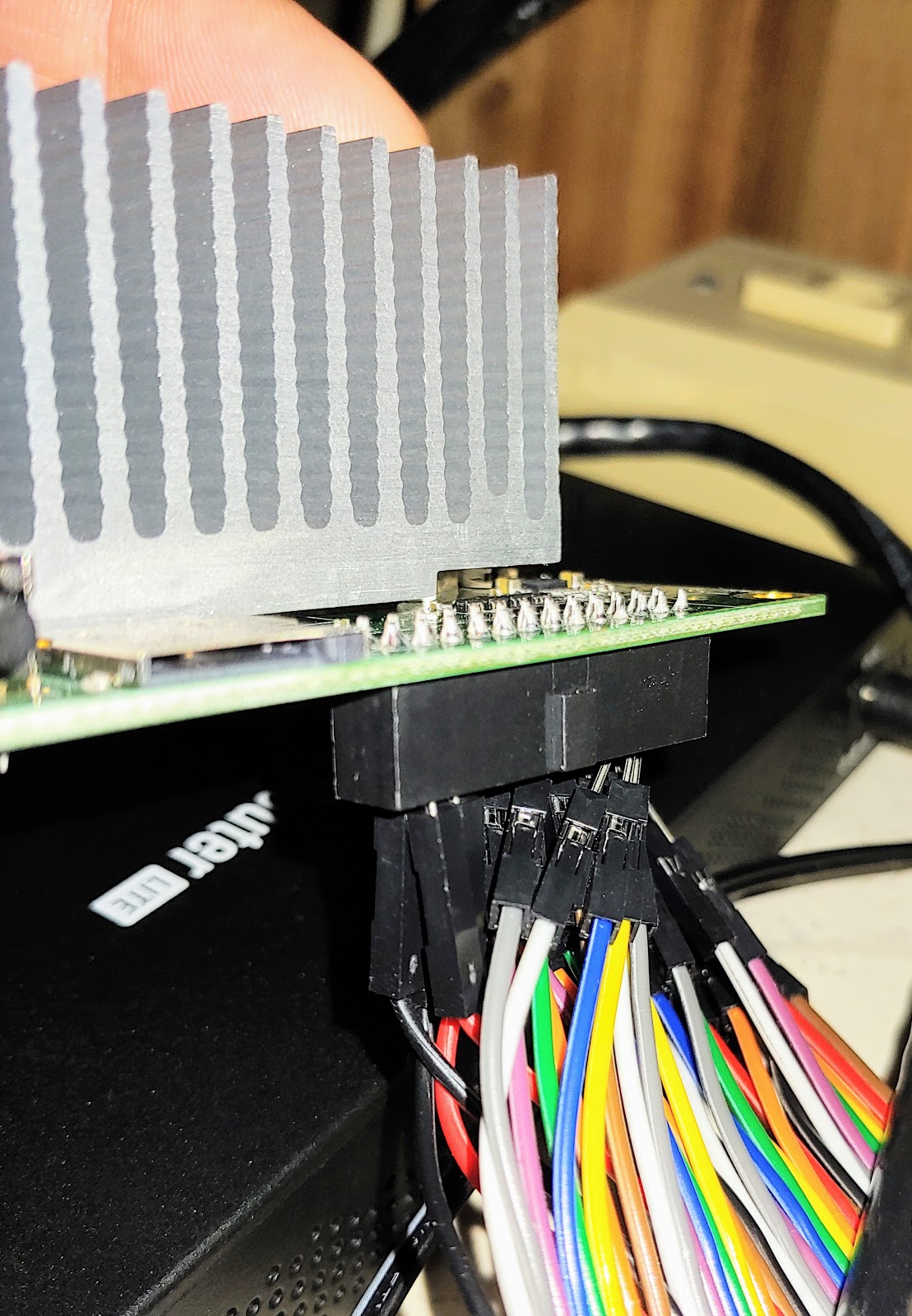
One of those fans and a heatsink from an abandoned PCI card (fakeraid or GigE, don't remember which) was pressed into service to keep my ODroid cool when it became clear it couldn't deal with ambient cooling inside its case at full load. A 12v 30MM fan is a lot less annoying when you're only driving it with +5vDC off of the GPIO pins of a Pi clone.
A couple of years ago, my mom replaced her computer, and so the old one came back to me. I realized that as old as it was, it was a better CPU and more memory than the (castoff) Atom netbooks the kids had been playing with, so I grabbed the old SSD out of the netbook (running windows 10) and slapped it into that to make them a desktop. It's still impressive to me that Windows 10 is perfectly content to run on what was fairly low-end hardware 12 years ago, and how much of a difference an SSD makes in terms of day to day performance on a box like that. But there was basically no driver for the ancient on-board Nvidia chipset and Java wouldn't recognize graphics, so I needed a different video card. A friend from work gave me an AMD Radeon R9 200 he wasn't using, that made Minecraft work, but was seriously bottlenecked by the CPU, PCIe 1.0, and probably wasting a lot of power in the process.

That brings us to today. The kids have been complaining about the slowness of the current box in terms of its ability to do more than play Minecraft and Youtube, and it was getting laggy even for that, so I decided part of their Christmas gift this year would be an upgrade. Bought myself a new PC with intent to hand them my old one, with the graphics card from the old box. I went from a 2nd-gen Intel i7 to a 9th gen, but because it was a Cyber Monday door buster there was no configuring it, and I elected to not pay Dell's premium for a different box with more memory and a relatively small SSD, so I ended up with only 8GB of RAM and a 1TB spinning rust drive + 16GB of Optane (aka tiny, fast NVME SSD as cache). Got the computer Friday, booted it, realized that I'm utterly spoiled by the SSD in my current machine, because it felt slower than the current, much older box, ordered an SSD and the other 8GB of RAM the same day. Side note: 1TB Samsung Evo 860 is flirting with $100, which boggles my mind.

Meanwhile, the 11 year old box that's aging out of my fleet found a new home, so I grabbed a video card (Nvidia Geforce 9500 GS) I'd rescued from another actually, for real dead (fried CPU) box my ex-father-in-law gave me and set to getting that working, since it's still lightyears ahead of the onboard video. Many bluescreens were the result. Unsurprisingly, Windows gets a little cranky when you yank an AMD video card and install an Nvidia without first uninstalling all the AMD software and drivers. Finally got drivers and such wrangled, which involved safe mode in Windows, and was still getting bluescreens, albeit less frequently. Discover that the fan in the video card seemed to not be spinning, figured maybe bluescreens were because of overheating. Rummaged in my pile-o-parts for a fan and rigged something up to serve as a card fan. I'm simultaneously proud and ashamed to admit it involved zip ties and an 80mm fan. Happened to have a cable on hand to split the single case fan power terminal to drive both fans. Finally got the box happy after a complete reset (what Win10 now calls a clean install) of Windows and a video driver update.

SSD and memory for the new box arrived first thing Sunday, so I set to installing it so that I could clone the existing drive over. Turns out that Dell got cute with their power supply and there are no SATA power cables from the power supply itself. There are two 6-pin female PCIe connectors on the motherboard labeled for SATA power, and only one is being used. The optical drive has some other connector (it looks like they used a slimline), so I couldn't steal that, meaning that I had to temporarily use a SATA splitter I had on hand to power both drives long enough to clone them. Long term plan is to move the 1TB disk to the kids' box to replace the 400GB drive that is original to the computer, but I need to hang onto it long enough to confirm that the new Dell doesn't have any sudden hardware failures and need to be sent back, so it'll sit for a bit first. Protip: If you have a box with Optane, make sure to disable it before you go cloning the hard drive. If you don't, the Optane disk will disappear when you swap to the new drive, and you'll have to swap back, disable Optane, then swap again so you can re-enable.

Now for moving the Radeon to the kids' new box. I had forgotten that the Radeon needs 2 6-pin PCIe power cables to run. In the last box, that required a Molex to 6-pin adapter because the power supply only had one. I figured I'd just move that over. Except... in this box, (with apologies to Ghostbusters) there is no Molex, only SATA. I have Molex to SATA power cables in the pile-o-parts from my old frankenserver, but they're for powering SATA devices off of Molex, not the other way around, so wrong gender. So I had to wait on a SATA to 6-pin adapter (the opposite of what I would have needed above), which fortunately was $6 and ships free one day from everyone's favorite rainforest retailer. Also convenient that I had a SATA power splitter/extension on hand, as there aren't that many SATA cables in the right place for this. Fast forward a bit, cable arrives. Install card, plug everything in, and... nothing. Powers up, but won't boot. I figure maybe the OEM Dell power supply, which tends to be sized for exactly what it leaves the factory with and little margin for upgrades, is too anemic, and got to swapping it for the 500W power supply in the box that's aging out, since it no longer needs anything that burly. Which conveniently means I now have plenty of Molex to power the video card and didn't need that cable after all, so into the spares bin it goes. That one also has very few SATA power and lots of Molex, so in go the Molex to SATA power adapters. And the old box's IDE/Molex CD-RW gets swapped for a SATA one so that I don't have to worry about powering Molex stuff with the SATA-only power supply from the Dell (which is incidentally now in a Gateway-branded case).
Power supplies juggled, power up... still nothing. Argh. Research and picking a few friends' brains leads me to discover that I'm doubly on the wrong side of the transition between legacy BIOS and UEFI. I have a computer with legacy BIOS that is dependent on a very specific video mode in order to boot, and a video card that requires UEFI and does not support the required mode. Nevermind the fact that the same card worked in a legacy-BIOS MSI motherboard that is 3 years older. Dell cheaped out on compatibility in some way, and Gigabyte cheaped out on their card being dual-mode, unlike some other variants of that AMD card. So I put the call out on BookFace for assistance and effectively raided someone else's spare parts bin for another video card (GTX 660) and tried again, and that worked just fine, other than being a very tight fit between the back of the case and the hard drive cage.

My son (10) is on a kick watching Linus Tech Tips on youtube, and was asking me why I didn't just build my new PC from parts like they do. My answer was that for what I need, I usually can't touch the price and convenience of "Dude, you're gettin' a Dell!" -- and also this exact hardware integration debacle, while an interesting challenge, ate an awful lot of my time that I'd frankly rather pay someone else to deal with at this point in my life. But I'll happily help him build his next PC if that's something he wants to do together.


Friday, September 27, 2019

Tinder is terrible, but not for the reason you think

I'm ~2 years post divorce. That's not for sympathy, in this context, that only serves to set up the fact that I recently decided that I should start taking some sort of action to get back into dating. Since it's been two decades since I last was in the dating pool, I'm basically starting over from scratch, and honestly, dating as an adult in a major city is almost completely different from the closely packed social scene that is college anyway. So, Tinder seemed like as good a place as any to start. Low commitment in terms of the effort to put together a profile and get to a point where you can potentially meet people (i.e. no huge questionnaire), and I figured it would be ok if I had some missteps where I am awkward, and "not looking for anything serious right now" would be ok, as would something more.

Turns out, the idea might still be right, but the platform is really, really not. I went from signing up to deleting my account in 3 weeks.

While there are other reasons related to the actual framework it provides for human interaction that make Tinder terrible for exactly the reasons you might think, the primary reason I left is that Tinder, the app itself, is awful, and it leads to a terrible user experience. And as the geek I am, I thought there might be some value in writing that up, even though it means having to admit to any readers (all...both of you?) that I was using Tinder in the first place.
I come away from this experience feeling like I've wasted a pretty phenomenal amount of time in the last 3 weeks or so, and wanting to bail on the app that quickly is probably the opposite of what Tinder is going for, since they make their money by showing you ads and getting you to pay for additional tiers of service. Here's a few brief points about why:
  • Navigation and interaction: Pretty much everyone is familiar with Tinder's basic UI at this point as it's entered pop culture - swipe left for no, right for yes. You can also press a heart button or an X if you prefer. But there's a bunch of other stuff overloaded on that basic interaction that makes it counter-intuitive and frustrating. 
    • On the main screen (the one that each new profile defaults to), which is just the picture, work/education, and distance, you can tap on the left or right side of the screen to go back and forth between the pictures, swiping left and right is no and yes for the profile itself, and swiping up is a super-like. Based on the number of people who make a point to note that super-likes are always an accident in their bio, that last bit is something that confuses nearly everyone, and seems to have no actual value for its intended purpose. Want to scroll down a bit to read the rest of the bio that happens to be truncated on this screen? Don't swipe up like you do everywhere else, oops congratulations you just super-liked that person, and there's no way to undo it unless you want to upgrade to a paid tier.
    • In the detailed profile where you can actually see what they've written in their bio, swipe left and right scrolls between the pictures, and swipe up/down scrolls the screen just like every other app on the planet. But here, you cannot swipe right/left for yes/no on the profile, only use the buttons. So you have two completely different modes of interaction, that you are rapidly switching between and must keep that context handy as you switch. What could possibly go wrong?
  • Upsells - Tinder really, really wants you to pay for service, and they are busily making the free tier less and less attractive. The problem is that in the process, they're making their platform less attractive and reducing the perceived value of upgrading. Tinder already feels a bit like a ghost town for a number of different reasons, and limiting access just makes that feel worse because it takes longer for matches to surface. Add in effectively accentuating the bad UI so that they can sell you features that compensate for it like undos, and it becomes pretty disillusioning.
  • Silent failures. Ever get lost, and realize that you've gone in a circle because you start recognizing landmarks? No fewer than six times (aka, at least twice a week), I had the same thing happen on Tinder. "I recognize that girl - I already swiped {left/right} on her." Turns out for reasons that I can't be bothered to troubleshoot, Tinder doesn't always register your swipes, even though the app moves on to the next person as if it did, rather than throwing any sort of error. And it's fairly common, because there's an entry in the FAQ about it that suggests switching from WiFi to cellular data or vice versa, or logging out and logging back in to your account, which means they can't be bothered to troubleshoot it either, but clearly there's some serious fragility in the way that they deal with network connectivity issues. The latter fixed it for me, but since there's no way to know that it is broken, you don't know that you need to do something to fix it. You can swipe and swipe and swipe and swipe, and your only clue there might be an issue is that you start seeing repeats, or you realize that you haven't hit your yes quota (common belief is you get about 50 right swipes per day as a guy) in the typical amount of time.  How's it feel to literally waste an hour swiping when you're already wondering about the usefulness of the app and platform due to low numbers of matches for time spent?
  • Brand confusion: Tinder has two different types of people on it - those still using it as a way to find no-strings hookups, and those using it as a more traditional dating app to meet people for something more serious. Those two types are at complete cross purposes as far as the interaction with the platform. 
    • Tinder only lets you filter your candidates on age range and distance from you. But it does not indicate whether people matching your distance range are there temporarily. It also has a paid feature called "passport" that allows a user to change their location and get a head start on finding matches wherever they're going to be soon. But this means that people who have limited the location so that they only see local people get a bunch of profiles for people who don't live anywhere near them, and that fact may or may not be obvious from the profile, meaning you have to watch carefully for the "nn miles away" to be higher than expected, or to notice that the "lives in" location doesn't sound familiar, or or catch a keyword in the bio. Miss it, and you may "waste" one of your limited daily right swipes on someone who is nowhere near you.
    • The inability to identify and filter which type of Tinder user you are means that everyone tries to filter by saying things in their bio, which still gets ignored, and leads to a situation where (as far as I can tell) women get inundated with messages from the wrong type of guy, and the resulting noise means they don't see messages from users that they might actually be interested in.
  • Opaque algorithm - no one really has any idea how Tinder decides what profiles to show you in what order. One would hope that perhaps it would show you profiles that have already liked you, followed by profiles that have been active recently, so that you're not seeing a bunch of people who have mostly abandoned their profiles or only check them once every 2 weeks and increase the chances of both matches and the subsequent chat interaction between matches. But I think that's probably optimistic and not really backed up by my experiences on the platform and their efforts to sell you access to those that liked you. There also seems to be no weighting given to completeness of profile, so you constantly see profiles that have no bio, only one picture or images that even a very rudimentary image processor could tell is not a person, super low-quality images, or repeated images. An app that lives and dies by the visual doesn't seem to put much effort into that aspect of things. 
I'll readily admit that some of this might be that I was somehow fundamentally "doin' it wrong" on Tinder, and that was more to blame for the fact that after 3 weeks of being on the site daily, I had 3 matches to show for it, 1 of which unmatched me a day after I messaged, the other two never responded to my initial message. I get it; I'm a 41 year old divorcee with 2 kids on an app for twentysomethings, but I think I would have been more willing to tolerate the issues with the app if it led to some level of success. Because it didn't, it just added insult to injury.

Sunday, July 14, 2019

Engineers and complexity, a cautionary tale

This is a story about overly complex engineering, subsection: German, sub-subsection: sports cars. 

As they eventually do, the battery died in my 911 (997.1) sometime in the last couple of weeks. Not just too weak to start the car - stone dead, no interior lights, nichts. I've had the car for >5 years, and I suspect the battery wasn't new when I got it, so it was due, and the car was in my garage, so it's not like it stranded me or anything. But there's still the matter of the battery replacement to deal with. And that, my friends, is a funny story.

As you may be aware, the 911 is a rear-engine vehicle, but the battery is still up front, in the "frunk".
The battery is under that Porsche logo near the windshield washers

Because it's a trunk, and not a hood, it has an electric release, so that it can be opened via a button on the key from outside of the car in addition to the switch in the driver's door sill. 

Betcha you can guess where this is going... Surely the brilliant engineering minds at Porsche wouldn't leave you with no way open the trunk to access a dead battery? Of course not, but being Germans, and fans of both demonstrating their own engineering prowess and overly complex solutions to relatively simple problems, Porsche forgoes the Occam's Razor solution of an auxiliary cable-actuated release somewhere in the car. Well, that's not entirely true - there's apparently one for if you're really stuck, like if the electric release actuator fails, but it requires jacking up the car (remember, jack and wrench are in the trunk you can't get into), and removing the left front wheel and inner fender liner. Also there is an electric release for the engine cover hatch, so there's no point in putting an auxiliary set of terminals back there for jump starting the way some cars with the battery in a weird location have. I suppose in theory you could try to backfeed through one of the cigarette lighters, but those have fairly weak fuses (I've blown them more than once using the factory-supplied 12V air compressor for longer than a few minutes, so I'm not sure.

No, Porsche has an "ingenious solution" to this problem. And there is a procedure which must be followed, that you are completely familiar with because you've carefully read and understood your entire operator's manual, ja? 

Owners Manual

Assuming that you are starting with a locked car:
  1. Manually unlock the driver's door with the key.
  2. Locate and remove the access cover for the fuse panel in the driver's footwell. (No interior lights means it's going to be dark under the dash, have fun with that.)
  3. Locate a red plastic bit with a picture of a car with the hood up in the upper right corner of the fuse panel (i.e. the part furthest away from the door). It will be pushed in far enough that you can't actually grab it with your fingers, so use the small metal tool attached to the back of the fuse panel cover to catch and pull this plastic bit so that it sticks out of the fuse panel. 
  4. Source a set of jumper cables and what Porsche's manual refers to as a "donor battery". Yes, it can be attached to another vehicle, but the manual has pictures of it just being a spare battery you happen to have lying around.
  5. Connect the positive jumper cable to the now-exposed metal contacts on the red bit in the fuse panel.
  6. Connect the negative jumper cable to the door latch. Note that because you opened the car without disarming the alarm via the keyless entry, the alarm will immediately sound. So you're going to be rooting around under the dashboard of a Porsche, while the alarm goes off. Nope, not trying to steal the car, honest! 
  7. Pressing the trunk release button on the key will disable and silence the alarm, and open the trunk, after which you can disconnect the cables and access the battery as needed.
Other important notes: This does not provide enough power to jump start the car, nor will it run anything else in the electrical system. It is only to power the modules that run the keyless entry RF receiver and the trunk actuator. I know this because I tried 3 or 4 times to open the trunk via the switch right next to me in the driver's door sill, which does not work. Additionally, the ignition switch in these cars is all electronic. When you turn the key to any position, it returns to the original position once you release it, so there is a mechanical catch that keeps you from removing the key when the ignition is on. When the battery is dead, it fails closed, so if you insert the key and turn it without realizing the battery is dead like I did today, it latches on your key but does not have any power to release, meaning your key is now stuck in the ignition (though it did release my key when I applied power to the terminals for the third time). When the key is in the ignition, the buttons on the key don't seem to work, so I had to go get my other key to actually open the trunk.

That red bit hiding under the 404 on the top right is what you're looking for
So now we have access to the battery, but there's still some fun to be had. The battery is in the very center of the car, and the hood trunk opens toward the windshield, meaning that even with the hood open, there's not a lot of clearance near where the battery is. 
still a long reach from the side

Faced with several equally bad options for how to remove the 53 lb (~25 kg) battery by myself, I ended up standing in the trunk, still bent over to avoid smacking my head against the hood, but much closer to the battery and thus with a much shorter lever length than if I'd tried to do it from either side or the front of the car. I ended up basically deadlifting it like a kettlebell since it had a set of handles in the center. Installation is, as Chiltons is fond of saying, the reverse of removal, and thus equally awkward. I'm also not sure that there is any particularly easy way to do this as a team lift either. A friend joked that there's probably some $3000 Porsche tool to make this process easier. It's a wonder I didn't hurt my back.

If there's any moral to this story, it's a cautionary tale on dismissing the simplest solution, and it's based on some experiences I've had troubleshooting networking and computer issues, where my predecessors or vendors were enamored with solutions that were too cute by half because it showed how smart they were, and basically failed the 2AM test*, or violated the principle of least astonishment, or both. 


*The 2AM test is a test of complexity and ease of understanding: simply, whether you, as someone who didn't design it originally, can figure out the problem and fix it when it wakes you up out of a good dream at 2AM because it's broken.

Friday, June 14, 2019

Adventures in non-Raspberry flavored cheap SoC boards

I was recently looking for a replacement for my old Odroid C1, which was serving as my local DNS server, but has basically become orphaned, because all of the Linux distributions I’m aware of for it, including Hardkernel’s official ones, are based on Debian Jesse, which is rapidly approaching EOL and already has had some of its package repos deprecated so updates are thin and the writing appears to be on the wall. My preferred distro was dietpi, but after cruising their forums a little, I found one where they said “we would roll a Stretch based image, but the one guy who has a C1 can’t find it” which made me realize that depending on that is setting myself up for failure at some point in the future anyway. Plus the maintainers of dietpi have irritated me twice now by first forcing an upgrade between versions via wipe and reimage about a year ago, and then inducing some bug that breaks my networking every time I do an upgrade in-place via their update mechanism (likely because they weren’t actively regression testing with my specific flavor of OS and hardware) which has resulted in me being stuck on the current version unless I do a clean install (again) because the upgrade now also fails due to the aforementioned expired repos.

A regular, current-gen Raspberry Pi is sort of the default answer here, because none of these support issues are a concern, but the fact that there is still no 64-bit version of Raspbian for the ARM64 (v8 and later) based machines, and the answers on most other pi-friendly distros sound a little too much like “compile your own” for my taste, I went looking at alternatives. Stumbled across the Atomic Pi not too long ago. Same basic price point as a Pi, but with a quad core Intel Atom and real (not USB2) Ethernet, plus built-in eMMC storage for the OS. Seems like pretty good news.

The slightly less good news is that it’s a different form factor than a Pi, so this isn’t exactly a direct drop-in alternative for whatever pi-based project you were planning.

Atomic Pi as shipped, with a RPi 2 in a case for size comparison


It’s also simultaneously more and less novice-friendly. More, in that it comes preloaded with an OS (Ubuntu 18.04 desktop) such that plugging it in will produce a functional computer right away without needing to buy storage and burn an image onto it. Less, because… well, about that whole “plug it in” part:

It has no typical onboard power interface. No micro-USB, no DC barrel connector. You need to feed it regulated 5vDC @3A, so in theory you could wire up something to use a micro-USB or USB-C wall wart charger but you’d have to include the right bits to convince the charger that it shouldn’t default to the 500mA that is USB’s failsafe output for things it can’t negotiate charge rates with. The options available are to buy and use the full breakout board, which has a molex (old-style hard drive power) connector on it, or the mini breakout board, which only exists to serve as a physical adapter to connect to the GPIO socket so you can plug in a DC barrel connector. The first seems less than optimal unless you already have a spare computer power supply laying around, and it’s not likely to be very efficient as a means to power something that small. Maybe if you want to power multiple Atomic Pis with one bench power supply that makes more sense. Otherwise I suppose maybe they expect you to just use a spare connector from another nearby computer and be ok with the dependency on the other machine? Or you can do what I did, and buy a set of jumper wires with male to male dupont connectors and a wall wart that includes a barrel connector with screw terminals. The instructions tell you to use 2 pins for each of positive and negative to ensure you don’t overdo the current draw on the tiny wiring.
Atomic Pi with dupont connectors and barrel connector for power

Also there is a serial port, but it requires wiring to a UART on the board unless you buy the full breakout board. https://www.digital-loggers.com/api_faqs.html#SerialPassword

The only case options I’m aware of are in the form of something you need to 3D print yourself, and because of the dupont pins, which connect on the bottom and stick straight out a good ½” from there, it has to hang off the edge of whatever it’s sitting on, so I suspect even the case design the manufacturer is providing will require modification. Haven’t spent the time yet to investigate this since it’s going to live in my utility room and doesn’t really need a case at the moment anyway. 

close-up of dupont connectors on bottom

Initial boot does look for PXE, both IPv4 and IPv6, so I suspect the best bet is to bootstrap it headlessly is via PXE and push config to it directly. 

Initial access if you’re not doing PXE requires keyboard and mouse (and there’s only one USB port, so you need a hub too) and HDMI. Login splash screen defaults to user atomicpi, but the password is unique per device, so you can’t just figure out what IP it got in DHCP and ssh directly in. The password is displayed in a box next to the login. Type it in and you get presented with typical Ubuntu desktop.

The instructions they supply don’t tell you to write the password down, but you really want to if you want to do anything that requires sudo. I had to log out and back in to get it. It’s apparently stored in a file somewhere, but I can’t remember which one (It triggered a “hey what should I do” prompt in apt-get upgrade because it wanted to overwrite the file with the stock maintainer’s version for some package. Also I was having trouble doing anything in the GUI that required sudo auth, because it kept asking for root, and wouldn’t accept the atomicpi user’s password, nor would it let you change the user it was authenticating. Sudo worked just fine with the atomicpi user's password from CLI.

The preinstalled version of Ubuntu has docker running by default, but didn’t have traceroute, dnsutils, or fail2ban preinstalled, so part of your hardening includes throwing the necessary switches to disable docker if you’re not using it for your application. Since this is Ubuntu desktop and not server, it's also missing netplan, the new hotness for configuring IPs, meaning you're still (for now) editing /etc/network/interfaces like you'd expect to, and I threw the necessary switch to tell linux not to rename eth0 to something stupid.

Also I am starting to suspect that it doesn’t like having the HDMI cable unplugged and replugged, because while temps were fine and it has been otherwise stable, I have managed to get it to lock completely up on me twice when trying to switch back to the desktop by switching HDMI cables on the back of my monitor that only has one HDMI input.

Network performance:

Iperf3 shows 770mbps throughput between local servers on the same LAN, so the GE is pretty stout for a SoC system like this, though I was expecting a little closer to linerate than that.

Disk performance:

pi@rpi3b+:~ $ sudo hdparm -Tt /dev/mmcblk0 (technically a Samsung Evo 32G microSD MB-ME32GA/AM, claimed 95MB/s)

/dev/mmcblk0:

Timing cached reads: 1408 MB in 2.00 seconds = 704.05 MB/sec
Timing buffered disk reads: 68 MB in 3.02 seconds = 22.48 MB/sec

atomicpi@atomicpi:~$ sudo hdparm -Tt /dev/mmcblk0
(built-in eMMC)
/dev/mmcblk0:


Timing cached reads: 2116 MB in 2.00 seconds = 1059.33 MB/sec
Timing buffered disk reads: 466 MB in 3.01 seconds = 154.90 MB/sec

Temperature:

With all 4 cores at 100% the temp hovers at 57-59°C on each core using only ambient air cooling via the heatsink at typical room temp (72°F).

Amusingly, putting the device under an exhaust fan from another (fairly lightly loaded) device such that there’s warmer than room temperature air moving across the very large heat sink drops the temps under load by almost 15°C. Appears that there’s a good bit of cooling capacity available if you wanted to put this in a slightly less temperature controlled environment without it throttling, especially if you’re willing to add a fan, though there are no mounts on the heatsink for a fan, so chances are you'd have to design the case with that in mind.

My typical CPU benchmark is the distributed.net client, running rc5. Been running it on various computers since I was in college, so I have lots of comparisons available.

The rate on this box is 15.09 Mkeys/sec. Intel is being weird about TDP and quoting “SDP”, but it appears like TDP might be 4W, which appears to mean that it’s roughly equivalent in raw numeric horsepower to a 14 year old AMD, but at less than 1/10th the power draw.

By comparison, here are some other boxes in the fleet:

ODroid C1 Amlogic S805 quad core, ca 2015, 8.6 Mkeys/sec (32 bit mode)
Pi3b+ (Cortex-A53 quad core), 9.4 Mkeys/sec (32 bit mode)
Pi4b (Cortex-A72 quad core), 11 Mkeys/sec (32 bit mode)
AMD Athlon 64 X2 4800, 2 core ca. 2005, 110W TDP, 17 Mkeys/sec
Nvidia Geforce 9500, ca 2008, 50W TDP, 20 Mkeys/sec
Intel i7-2600 4 core + HT, ca 2011, 95W TDP, 44 Mkeys/sec
Intel i7-8750 6 core + HT, 45W TDP 303 Mkeys/sec
Intel i7-9600 8 core, no HT, 65W TDP, 87 Mkeys/sec
Intel UHD Graphics 630, 96 Mkeys/sec - yes, Intel has implemented OpenCL on their on-chip GPU such that it can now run the client and this is a simultaneous number with the above i7.
Nvidia GTX 660, 130W TDP, ca. 2012, 450 Mkeys/sec
Nvidia GTX 1050Ti, 75W TDP, ca. 2016, 1.6 Gkeys/sec
AMD R9 270, 150W TDP, ca. 2013, 2 Gkeys/sec (!!)